
Skip to content

What Are the 7 Best Industrial Printing Systems?

Industrial printing is not one machine category. It is a set of production methods built for different materials, volumes, and finish requirements. This guide compares seven widely used Industrial Printing Systems, from flexographic and offset presses to digital inkjet, screen, gravure, thermal transfer, and pad printing. Each has strengths. Each has limits.

Printing analyst and educator Frank Romano has written extensively about how print technologies adapt to changing needs. An editorial paraphrase of a useful principle from his work is: “Match the process to the job, not the other way around.” That distinction matters when choosing equipment. A corrugated box line may need speed and reliable registration; a metal part may require durable marks on a small, curved surface. A glossy sample alone proves little.

The sections ahead examine print quality, substrate range, throughput, setup time, operating cost, and maintenance demands. They also consider real production details, such as ink curing, changeovers, and operator skill. These can shape results more than a brochure suggests. Not always obvious. A system that excels in one factory may be inefficient in another, even when both print similar products. The comparison is a starting point, not a substitute for testing. Request representative samples, check service availability, and assess total cost across the equipment’s working life. Some figures are difficult to compare fairly. That deserves a closer look.
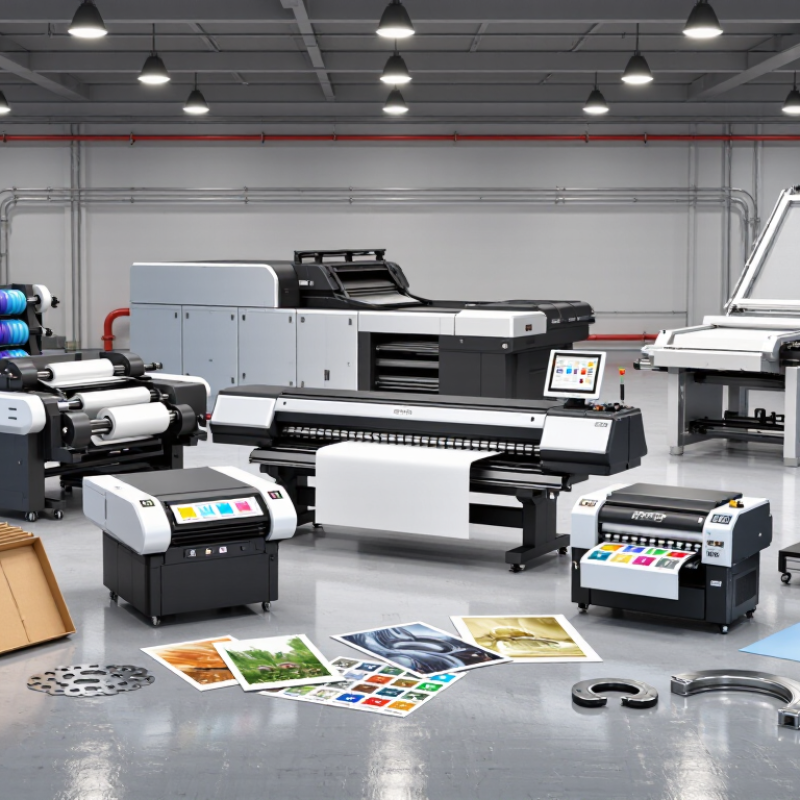
What Are the 7 Best Industrial Printing Systems?

How Industrial Printing Systems Are Classified and Evaluated

Industrial printing systems are best classified by how they transfer an image and what they print on. The seven common categories are inkjet, screen, flexographic, gravure, pad, thermal-transfer, and electrophotographic printing. Laser marking is often considered alongside them, though it alters a surface rather than depositing ink. Grand View Research estimated the industrial printing market at about USD 19.6 billion in 2023, with projected annual growth of 7.5% through 2030. That forecast signals demand, not proof that one process suits every factory.

Match the system to the substrate and production task. Inkjet can mark variable codes on moving cartons; screen printing lays down thick layers on panels; pad printing reaches curved, small parts. Then compare usable resolution, line speed, setup time, and ink or ribbon costs. Test adhesion on the actual material, not a showroom sample. Check whether codes remain legible after abrasion, heat, or cleaning. They may not. Measure uptime and maintenance needs during a realistic shift, and include operator training in the cost. A 2023 report gives a useful market snapshot, but it cannot replace a controlled trial. Print a sample, inspect it under factory lighting, and record defects per run. A polished sample can still mislead.

Industrial Inkjet and Flexographic Printing Systems

Industrial inkjet and flexographic systems serve different production needs. Inkjet places droplets directly onto a surface, making it useful for variable data, short runs, and frequent design changes. Continuous inkjet suits fast-moving lines, such as printing codes on bottles or cartons. Drop-on-demand systems offer finer control for labels, packaging, and decorative work. UV-curable inks can dry quickly under ultraviolet lamps, though the right ink depends on the substrate and finish.

Flexographic presses transfer ink from a raised, flexible plate to materials such as film, paper, and corrugated board. They are often practical for long runs, where repeat jobs and steady output help spread setup costs. Central-impression presses can hold several color stations around one drum, supporting registration on flexible films. Inline configurations may combine printing with coating or cutting. Small details matter. Operators should check plate condition, web tension, ink viscosity, and drying settings before a run. A slight tension change can shift colors out of register.

Choosing between these methods depends on run length, material, image detail, and changeover frequency. Inkjet reduces plate preparation, but printhead cleaning and ink compatibility need attention. Flexography can be efficient at volume, yet plates and setup take time. Neither is automatically better. In practice, real production conditions may expose trade-offs that a specification sheet misses. Waste adds up. A short trial on the intended material can reveal whether print quality, speed, and drying performance meet the line’s needs.

Gravure and Offset Printing Systems

Gravure and offset printing systems solve different production problems. Gravure transfers ink from tiny cells engraved into a cylinder. Its stable color and smooth image quality can suit very long packaging runs. The cylinders take time and money to prepare. Small runs may not justify that investment. A costly mismatch.

Offset printing transfers ink from a plate to a rubber blanket, then onto the substrate. That indirect transfer supports sharp text and detailed images on paper and some packaging materials. Offset can handle substantial volumes, but plate preparation and make-ready still create waste. The setup matters.

Compare the systems against actual job requirements, not headline press speed. Check substrate thickness, ink behavior, color targets, changeover frequency, and acceptable waste. Ask how operators monitor registration during a run; small shifts can spoil fine details. I would also question assumptions about “typical” run length, since job mix changes the economics. A press may look efficient on paper and still struggle with frequent short orders. That deserves a closer look.

What Are the 7 Best Industrial Printing Systems? - Gravure and Offset Printing Systems

Printing System How It Works Common Substrates Best Suited For Key Advantages Considerations
Gravure Printing Ink is held in tiny recessed cells engraved into a cylinder and transferred directly to the substrate. Paper, paperboard, and flexible packaging films Very long runs requiring consistent image quality Produces smooth tones and fine detail; economical per unit on sufficiently large runs. Engraved cylinders require significant preparation and investment, making short runs less economical.
Sheet-Fed Offset Ink transfers from a plate to a rubber blanket, then from the blanket to individual sheets. Paper, coated paper, and paperboard Commercial print, packaging, and medium-to-long sheet jobs Reliable color reproduction and good image quality across a broad range of sheet sizes and stocks. Plates and press setup take time; it is generally less efficient for very short runs or variable content.
Heatset Web Offset A continuous paper web is printed by offset units and passed through a heated dryer to set the ink. Lightweight coated and uncoated paper rolls High-volume magazines, catalogs, and advertising inserts Supports fast, continuous production and can print on coated paper that needs drying before finishing. Requires a dryer and related energy; setup and equipment are best justified by substantial run lengths.
Coldset Web Offset Offset ink is printed onto a continuous paper web and sets mainly through absorption into the paper. Newsprint and other absorbent papers High-volume newspapers and similar publications Efficient continuous production without a heatset drying stage. Works best with absorbent papers; image finish and color density may differ from coated-paper processes.
Flexographic Printing Flexible raised-image plates transfer ink directly to the moving substrate. Films, labels, paper, corrugated board, and foils Packaging, labels, and printing on varied roll materials Handles many substrates and is well suited to continuous web production and inline finishing. Plate preparation and careful setup are needed; print results depend on plate, ink, and substrate control.
Industrial Inkjet Printheads deposit droplets directly onto a surface from digital image data, usually without printing plates. Paper, packaging materials, labels, and selected rigid surfaces Short-to-medium runs, variable information, and frequent design changes Enables on-demand production, personalized content, and fast changes without plate preparation. Economics and print quality depend on the application, ink system, substrate, and production volume.
Screen Printing Ink is pushed through open areas of a mesh screen onto the substrate. Textiles, plastics, glass, metal, and rigid materials Durable graphics, specialty finishes, and applications needing a heavier ink deposit Can apply opaque or relatively thick ink layers and print on many flat or shaped surfaces. Screen preparation and drying or curing can limit speed; fine detail and economical run size depend on the job.

Screen, Thermal-Transfer, and Direct-to-Object Printing Systems

Industrial printing systems solve different problems, even when they mark the same product. Screen printing pushes ink through a mesh stencil, making it useful for bold graphics on panels, containers, and other repeatable surfaces. It can lay down dense color, but each design needs a prepared screen. Frequent artwork changes can slow production.

Thermal-transfer systems use a heated printhead to move pigment from a ribbon onto a label or flexible material. They suit variable details such as batch codes and handling information. Print quality depends on matching the ribbon, substrate, and print settings. A crisp test label matters more than a promising specification sheet.

Direct-to-object systems print onto the item itself, including curved or irregular surfaces. Check how securely the item sits during printing; small shifts can blur fine text. Surface texture and coating also affect adhesion, so test representative parts before committing.

Tips: Compare setup time, changeover frequency, and print durability. Keep samples from real production runs. They reveal flaws that a clean demonstration may miss. And be honest about the trade-off: no single system fits every line.

How to Match a Printing System to Production Requirements

Choosing among industrial printing systems starts with the production job, not the machine category. Record the substrate, print area, required resolution, and actual line speed. A porous carton moving past a fixed head needs different handling from a curved component held for pad printing. Include changeover time and cleaning access in the calculation. Small details matter. A fast unit may still miss its target if operators need frequent stops to adjust fixtures.

Smithers’ 2023 report, The Future of Digital Printing to 2032, forecasts digital print value rising from $136.7 billion in 2022 to $230.5 billion by 2032. That growth points to expanding options, not an automatic case for digital equipment. Match print technology to run length, variable-data needs, ink or consumable costs, and maintenance skills. For short, frequently changing jobs, digital systems can reduce setup work; stable, high-volume runs may favor processes built for sustained throughput. Compare the total cost per accepted part, not headline speed. Test the job. A pilot run should use the real substrate, artwork, and shift conditions; otherwise, results can look cleaner than production reality. No spreadsheet captures every nuisance, especially awkward loading or a hard-to-reach printhead.

What Are the 7 Best Industrial Printing Systems?

How to Match a Printing System to Production Requirements

Scores are relative qualitative ratings from 1 (lower suitability) to 5 (higher suitability), reflecting common production use rather than guaranteed machine performance. Flexographic, offset, and gravure printing are commonly suited to long runs; inkjet and electrophotographic systems accommodate variable content; screen printing handles many substrates; and thermal transfer is widely used for durable labels and variable identification. Actual results depend on equipment, materials, and job specifications.